A simple way
to send the good.
We accept Interac e-Transfer to [email protected]. Complete checkout and send payment right away. Once payment is received, you’ll receive an email to schedule delivery.
Your private order page supplies the exact amount, six-digit order number and payment status.
Go to checkout ↗
How to send your payment
Add Basket & Bloom
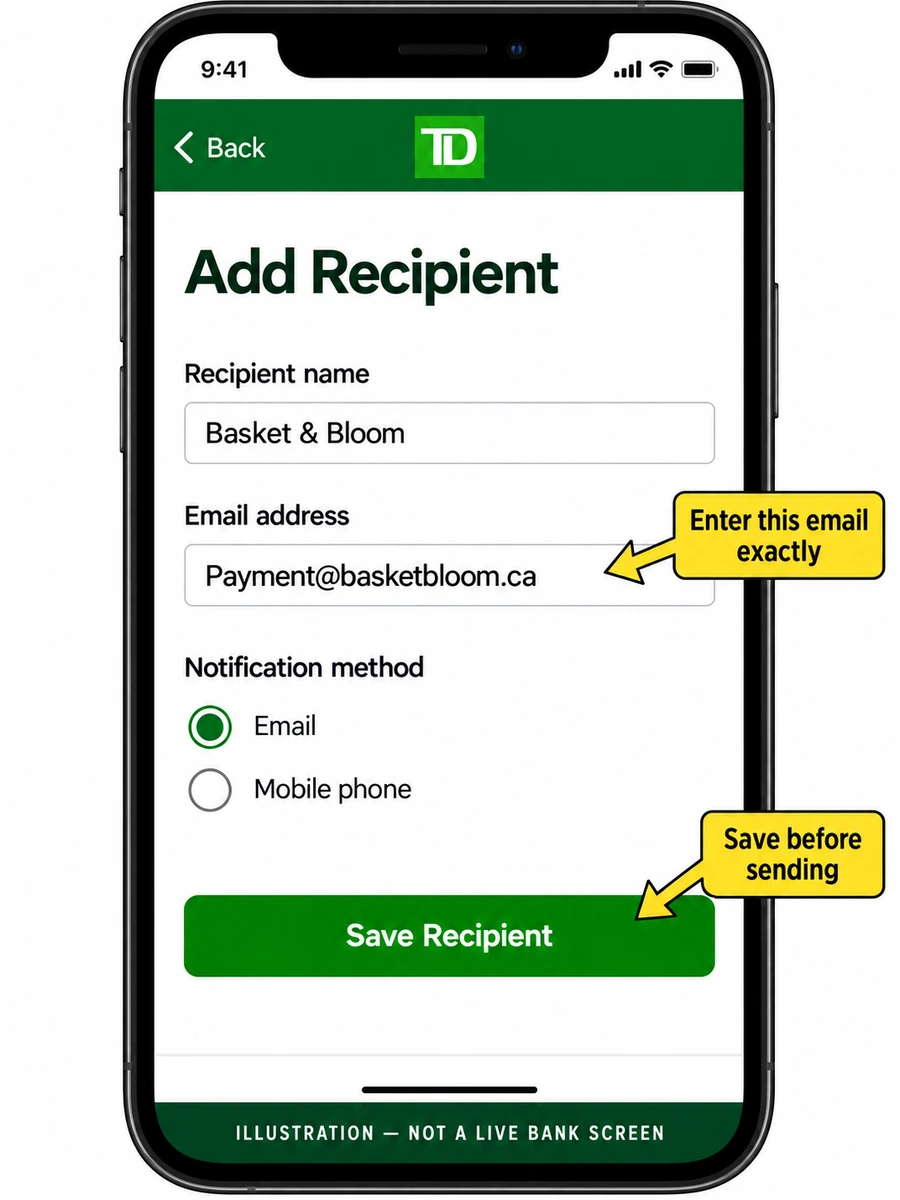
In your banking app, open Interac e-Transfer → Send money → Add recipient. Enter Basket & Bloom and [email protected]. Choose email notifications and save.
Enter your total and order number
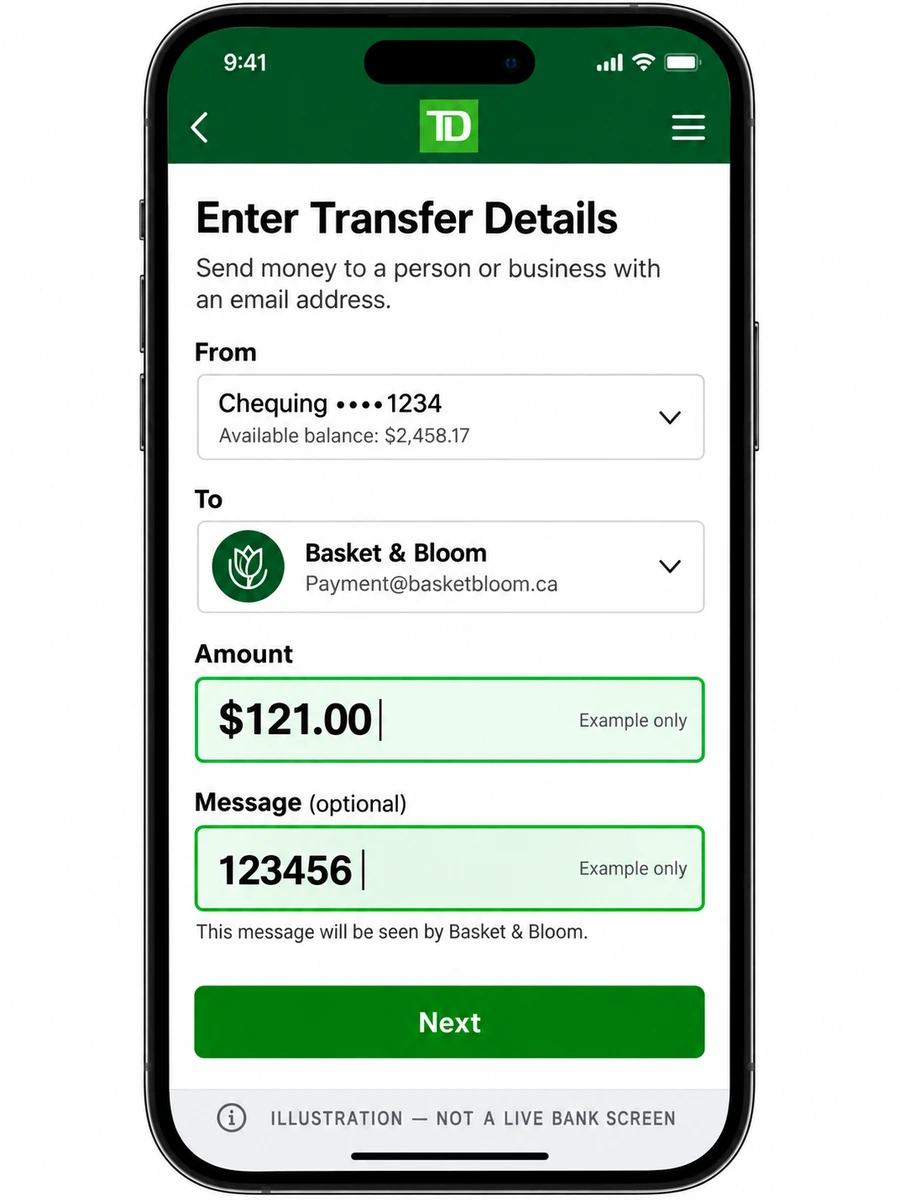
Select the saved recipient. Enter your exact CAD total and put your six-digit order number in the message. Use the details at the top of your order page.
Send your payment
Check the email and bank-displayed recipient name, then send. Autodeposit is on—no security question needed. Once payment is received, we’ll email you to schedule delivery.
See banking examples
TD-style illustrations, not official screenshots. The $121 amount and 123456 number are examples; use your own order details. Your banking app may differ.
If the recipient name is unfamiliar or your bank asks for a security question, contact us before sending. Keep your bank receipt and don’t send payment twice while awaiting verification.